TikTok Downloader No Watermark
Download TikTok videos without watermark in HD on all devices for free
- No Watermark & Logo
- Original Quality (HD/4K)
- Fast Bulk Download
- No App/Login Required
SnapTik - TikTok Video Downloader without Watermark, Logo, or ID
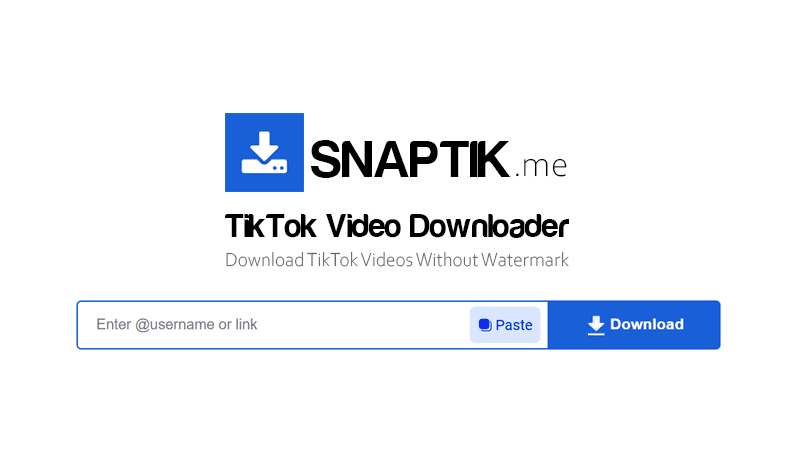
Want to save your favorite TikTok videos to your device without being stuck with watermarks, logos, or user IDs? SnapTik is a powerful online tool that helps you achieve this with just a few simple steps. Simply access SnapTik.me via your web browser, paste the TikTok video link into the search box, and click the Download button to save the video to your device without a watermark and in the best quality (HD or 4K). No software installation or account registration is required; it's completely free and supports all devices from PC to iPhone or Android phones.
Why should you choose SnapTik.me?
- No Watermark: Completely removes TikTok logo and user ID for clean videos to save or edit.
- High Quality (HD & 4K): Supports downloads at original resolution without blurring or quality loss.
- Bulk Download: Download TikTok videos in bulk by username with just one click.
- Multi-device Support: Works perfectly on all platforms (iOS, Android, Windows, macOS) via browser.
- Ultra-fast Speed: Global CDN network ensures downloads complete in seconds (under 3s).
How to download TikTok videos without watermark at SnapTik?
- Step 1: Open the TikTok app, select the video you want to download, and press the Share icon, then select Copy Link.
- Step 2: Access SnapTik.me using any web browser like: Chrome, Firefox, Safari.
- Step 3: Paste the copied link into the search box at the top of the page and press the Download button.
- Step 4: Select the desired quality and press the corresponding Download MP4 button to save the video to your device.
Download TikTok Videos in Bulk by Username
In addition to downloading individual videos, SnapTik also provides a bulk video download feature, saving you time when you need to save all videos from a channel.
- ✅ Download All: Just enter the channel URL or username (@username), and our tool will scan and display all videos uploaded by this user. You can select and download your favorite videos or download all videos as a single .zip file.
- ✅ Who is this feature for? Content creators wanting to back up all videos on their channel, fans saving every moment of their idols, and market researchers needing to archive a large volume of videos for analysis.
Terms of Use and Legal Compliance
SnapTik.me is an independent tool and is not affiliated with or endorsed by TikTok or ByteDance Ltd. We respect user privacy and do not store any videos or private data on our servers; all downloaded content is streamed directly from TikTok servers to your device.
Users are responsible for complying with TikTok’s terms and intellectual property laws. SnapTik.me only supports downloading content for personal purposes; we do not condone or take responsibility for any unauthorized distribution or commercial misuse of the content.
Frequently Asked Questions (FAQ)
Can SnapTik download TikTok videos without watermark?
- Certainly, SnapTik was developed specifically for that purpose; the tool will completely remove the TikTok logo and user ID from the video. You will receive a clean, high-quality video for storage or re-editing without any watermarks from the original app.
Do I have to pay to use SnapTik?
- Absolutely not. SnapTik is a completely free TikTok downloader. We do not require you to register an account or pay any fees. You can download as many videos as you like without any limits on features or download quantity.